 OPEN SOURCE. ENTIRELY YOUR MACHINE.
AI image and video generation.Your own local studio.
UnstableField turns your ideas into images and video in a simple web UI. An open-source engine that runs locally and plans around your hardware.
 View on GitHub
Explore the code. Read the docs. Make something.
 UnstableField / Your studio● Local engine

 Home
 Studio
 Chat
 Library
 Models
 Guides
 Options
 Your studio

 Private by default
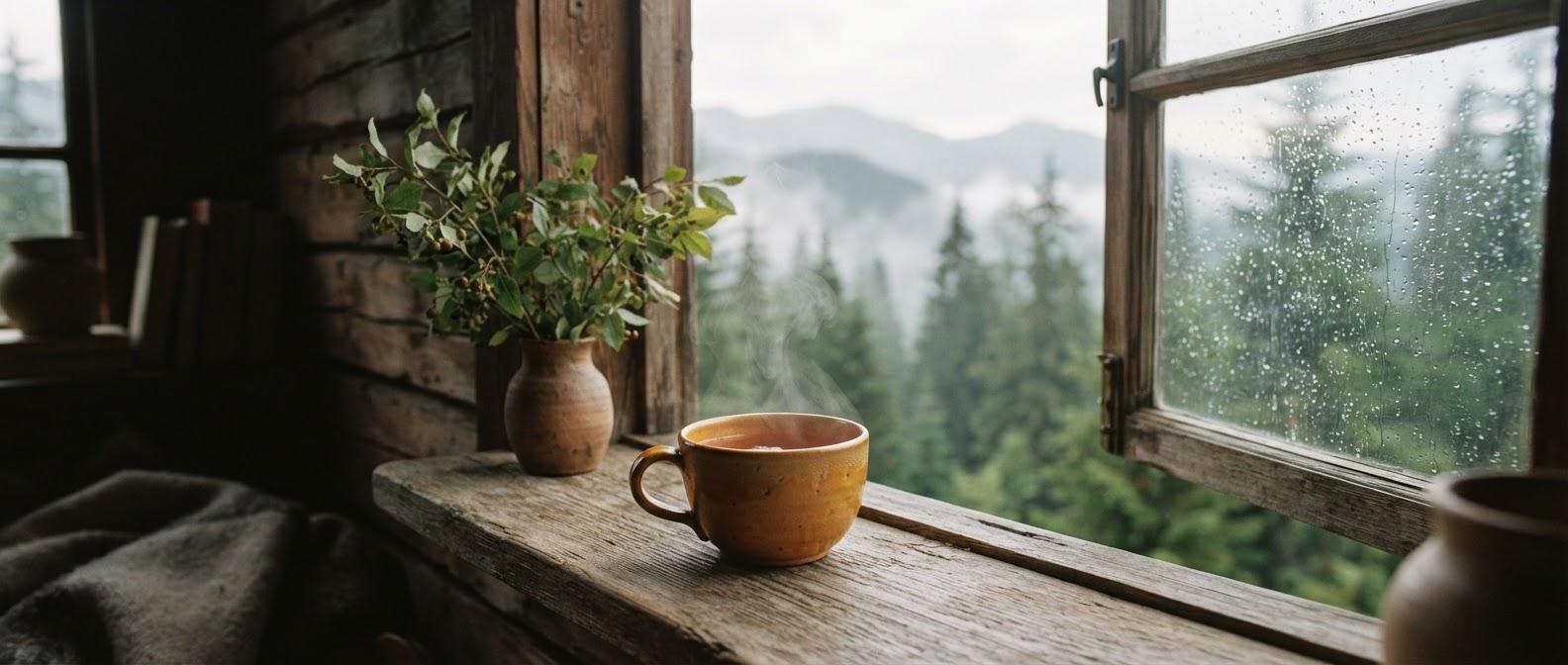
A handmade amber tea cup by a cabin window after the rain. Soft afternoon light, misty pine trees outside, a little steam.
Warmer afternoon light, same quiet mood.
What would you like to change?
 Export
 Your studio
A quiet place to prompt, create and keep going.
Desktop studio preview · generation runs on your supported machine.
Image · Video · Chat · Library · Models
From an idea to a frame
Make the still. Explore the motion.
One local workspace for image generation, text-to-video and image-to-video.

A little steam. Rain on the glass. A slow push in.

Give your ideas a first image.
Create with Z-Image Turbo or FLUX.2 klein. FLUX.1 schnell is also available with a token. Choose a quality level and aspect ratio, then let the planner handle the rest.
Start with words. Or a frame.
Generate video from text or an image with Wan 2.2 5B and Wan 2.2 A14B Lightning. Available models depend on your GPU and system memory.
Explore Create ↗Less setup. More making.
A few choices. Then create.
Describe what you see.
Write a prompt. Choose Image or Video, or use an image as the starting point.
Choose your intent.
Pick Fast, Balanced or Best, set the aspect ratio, and optionally select a model.
Let the engine plan.
UnstableField picks the remaining settings for the model and your available hardware.
You set the direction. The planner handles the technical choices.
Keep the creative thread
More than a
generate button.
Move between ideas, results and the models behind them without leaving your local workspace.
 Find the right words.
Help me turn this quiet window scene into a prompt.
Stream replies · Add images · Rewrite prompts
Think it through in Chat.
Use threads, streamed replies and image input. Rewrite a prompt or call the generate tool from a conversation.
Chat guide ↗Keep your work in the Library.
Return to your generated images and videos in the local Library. Your creative work stays on your machine.
Overview ↗Make room for your models.
Install model packs, import compatible local files and manage LoRAs from the Models page.
Models guide ↗Built around real limits
The right plan for
your machine.

The planner reads actual VRAM and RAM, then selects weight precision, offloading and attention. Less manual tuning—not a promise that every model fits.
Image + video; video model depends on RAM.
Desktop profile1024px images with quantized weights. No video.
Measured under capSmaller 512px images; not yet verified.
EstimatedChat only. No image or video generation.
Chat onlyImage + video; video model depends on RAM.
Desktop profile1024px images with quantized weights. No video.
Measured under capSmaller 512px images; not yet verified.
EstimatedChat only. No image or video generation.
Chat onlyApple, ROCm and XPU image support is estimated; video is experimental where supported.
The calibrated desktop and measured-under-cap 8 GB profile are different evidence. The latter is not a real laptop benchmark. Speeds vary by model and hardware.
Local by architecture
Your ideas don’t need
a cloud detour.
 ON YOUR MACHINE
Chat uses its own text runtime and shares the GPU with generation jobs.
Nothing leaves your machine for generation. UnstableField runs its own engine, built on torch and diffusers—not ComfyUI or another generation backend.

Hugging Face telemetry is off. Metrics and logs stay local.
Network access is needed to download model files and, on first chat, chat runtime libraries. Local generation does not mean a network-free installation.
Read the architecture ↗Get started
From repository
to your studio.
Install uv and node on your PATH, then check out the repository. Run these commands from its directory.
$ ./install.sh
$ unstablefield

The installer probes your backend, builds the UI and installs the command.
First start opens setup and offers a model pack for each task.
A few useful answers
Before you
make something.
What is UnstableField?

UnstableField is an open-source local image and video generator with a web UI. It includes Create, chat threads, a Library, model management and local diagnostics.
Does UnstableField require ComfyUI?
No. It has its own generation engine built on torch and diffusers. ComfyUI and other generation backends are not required.
What GPU do I need for image or video generation?
NVIDIA desktops with 12–16 GB VRAM and 32 GB+ RAM support image and video, with video model choice depending on RAM. An 8 GB GPU with 16 GB RAM supports quantized 1024px images, not video. CPU-only use is chat-only. See the hardware guide for estimated and experimental platforms.
Is generation private? Does it need the internet?
Generation stays on your machine. Network access is needed for model downloads and for chat runtime libraries on first chat. Hugging Face telemetry is disabled; metrics and logs are local.
How do I install and launch it?
With uv and node on PATH, run ./install.sh from the checked-out repository, then run unstablefield. The installer probes the backend, builds the UI and installs the command. Setup opens on first start.
Can I use every model commercially?
Model licenses vary. An open-source app or open model weights do not automatically mean unrestricted commercial use. Review the license and requirements for each model before using its outputs.
